
icon Free Money!
Bonuses & Promo icon
App for Window

Visit the site from your smartphone, install the application right now and get $100 to the bonus account!

en-my English

GemBet Login Malaysia – Sign In, Register and Fix Access Problems

Getting into GemBet is straightforward once your account exists. This page covers every scenario: first-time registration, standard login, forgotten password, what to do when GemBet is down or the link stops working, and how to close your account if you want to leave.

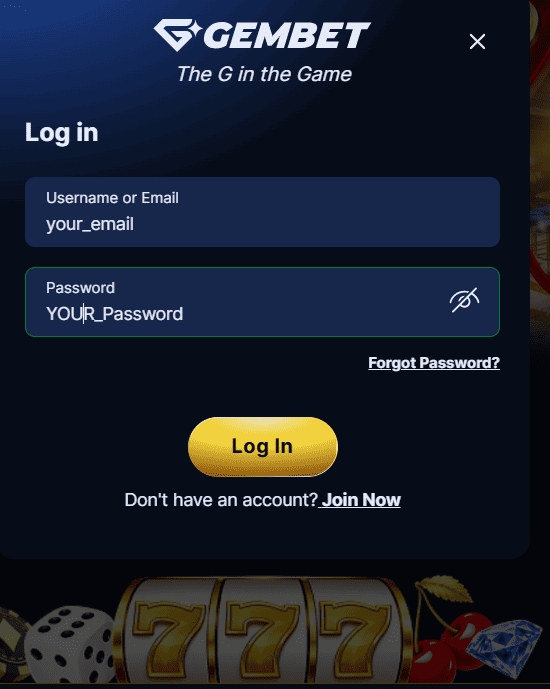
Standard GemBet Login

  1. Open gembeet.my in your browser
  2. Click Login at the top of the page
  3. Enter your registered email address and password
  4. Click Sign In – the platform loads immediately

If the page loads slowly, try clearing your browser cache. GemBet has been reported as occasionally laggy – this is usually resolved within minutes on their end, not yours.
GemBet Login

GemBet Sign Up – New Account Registration

Registration is free. It takes under 2 minutes.

  1. Go to gembeet.my and click Join Now or Register
  2. Enter your email address, choose a username and password
  3. Select MYR as your currency – important to set this at registration, not after
  4. Enter a GemBet voucher code or referral code, if you have one – this step is optional but appears here, not later
  5. Click Join Now to create the account
  6. Verify your phone number and email via the OTPs sent to each. Completing both verification steps triggers your MYR 60 free credit automatically

One thing to know upfront: GemBet asks for your full name and phone number when you make your first deposit, not at registration. Have those ready before you fund the account. Incomplete profiles delay withdrawal processing later.

GemBet Sign Up

After registering, choose your welcome bonus before depositing. Full bonus options: GemBet Bonuses page.

GemBet Login Password – Reset and Recovery

Forgotten your password? The reset process is quick.

  1. Click ‘Forgot Password’ on the login page
  2. Enter your registered email address
  3. Check your inbox for the reset link – arrives within 2 minutes
  4. Click the link, set a new password, and log back in

If the reset email does not arrive, check your spam folder first. Still nothing after 5 minutes? Contact GemBet via Live Chat. Have your registered email and username ready – support will verify your identity before resetting manually.

A note on password security: use a password that is unique to GemBet. Players who reuse passwords from other platforms face a disproportionate share of account access issues. A password manager solves this with minimal effort.

GemBet New Link – When the Main Site is Unreachable

Occasionally, gembeet.my may not load. There are a few reasons this happens. ISP filtering is the most common cause in Malaysia. Server maintenance is another. The platform has also been reported as down temporarily after high-traffic sporting events.

Here is how to get back in:

  • Contact GemBet Live Chat via WhatsApp and ask for the current working link directly. This is the fastest and safest method
  • Try a different browser – some ISP filtering is browser-specific
  • Use a VPN to bypass ISP-level DNS filtering. Free VPNs introduce their own security risks; use a paid provider if you go this route
  • Wait 10-15 minutes. Most downtime on GemBet resolves within that window

Do not search for ‘GemBet new link’ in general search results or Telegram groups. Third parties post fake GemBet URLs specifically to harvest login credentials. Always get the current link directly from GemBet’s official support channels.

How to Delete Your GemBet Account

GemBet does not offer a self-service account deletion button. To close your account, contact Live Chat and request account closure directly. Before submitting the request, do the following:

  • Withdraw your remaining balance. GemBet will not return funds on a closed account retroactively
  • Forfeit any active bonuses. Bonus balances do not transfer or pay out on account closure
  • State your reason clearly. Responsible gaming closure requests are processed faster than general closure requests and cannot be reversed for a defined period

If you want to stop gambling rather than just close this account, consider requesting self-exclusion instead of full deletion. Self-exclusion is a responsible gaming tool that blocks you from registering a new account on GemBet. Standard account deletion does not prevent you from re-registering immediately.

Account Security

GemBet uses SSL encryption on all connections. Even so, a few habits significantly reduce your risk:


  • Use a unique password not used on any other site
  • Enable two-factor authentication if GemBet offers it on your account
  • Log out after every session on shared devices
  • Never share your login details with anyone claiming to be GemBet staff. Legitimate support will never ask for your password

Troubleshooting